
Seasonal Warehouse Hiring: Badge 200 Temp Workers Without Losing Control
Seasonal warehouse hiring can move fast. One week, the staffing plan looks manageable. The next, 200 temporary workers need badges, orientation, shift assignments, safety confirmation, and site access rules before Monday morning. That is usually the moment someone says, “Can we just print something quick?”

You can. Yet, “quick” should not mean unclear, inconsistent, or impossible to track. In a warehouse environment, temporary worker badges need to support speed, safety, accountability, and operational control.
This process guide explains how warehouses can badge seasonal temp workers efficiently using QR code ID badges, barcode ID badges, and clear visual credential design without turning onboarding into a laminated free-for-all.
abc identity SOLUTIONS helps Canadian organizations create custom ID badges for temporary staff, warehouse teams, contractors, and seasonal workforces.
Why Seasonal Badging Needs a Process
Warehouses already operate under pressure: labour planning, shift coverage, inventory movement, equipment use, safety training, dock scheduling, and productivity targets all collide during peak seasons.
Temporary workers add another layer of complexity. They may be on site for a few days, a couple of weeks, or an entire peak season. They may work different shifts, report to different supervisors, or move between zones.
Without a structured badge process, warehouses can run into problems such as:
- Unclear worker identification
- Delayed onboarding
- Manual sign-in errors
- Poor visibility into who is on site
- Expired badges still in circulation
- Confusion between employees, visitors, contractors, and temps
- Inconsistent safety verification
- Difficulty removing access when assignments end
In warehousing, the badge is not just a name tag. It is part of the control system.
The Seasonal Warehouse Badging Challenge
Badging 200 temporary workers is not the same as printing 200 permanent employee cards.
Seasonal badges often need to answer several questions quickly:
- Who is this person?
- Which staffing agency or employer are they connected to?
- What shift are they assigned to?
- Which areas are they allowed to enter?
- Have they completed required orientation?
- Are they trained for specific equipment or tasks?
- When does the badge expire?
- Who should be contacted if there is an issue?
If the badge doesn’t answer those questions, supervisors end up relying on spreadsheets, memory, radio calls, or “I think they’re with the afternoon group.” That is not a process. It is a group project with consequences.
Useful Facts to Consider
- Warehousing and storage employment in Canada has grown significantly over the last decade.
- Workplace injury and safety requirements remain a major concern in warehouse and storage environments.
- Temporary help services are a major part of workforce flexibility in Canada.
- Barcode and 2D code adoption continues to expand, with GS1 preparing industries for broader 2D barcode use through Sunrise 2027.
- Canadian privacy obligations require organizations to handle personal information with appropriate consent and safeguards.
These sources support the business case: seasonal hiring is operationally intense, scanning technology is widely accepted, and personal information must be handled carefully.
Things to Consider Before Creating Temp Badges
Step 1: Define Badge Categories Before Printing
Before producing badges, separate your seasonal workforce into clear categories.
Common warehouse badge groups include:
- Permanent employees
- Seasonal temporary workers
- Staffing agency workers
- Contractors
- Visitors
- Drivers
- Maintenance vendors
- Supervisors
- Emergency response team members
For 200 seasonal workers, create a dedicated temporary worker badge category. This avoids confusion between long-term staff and short-term labour.
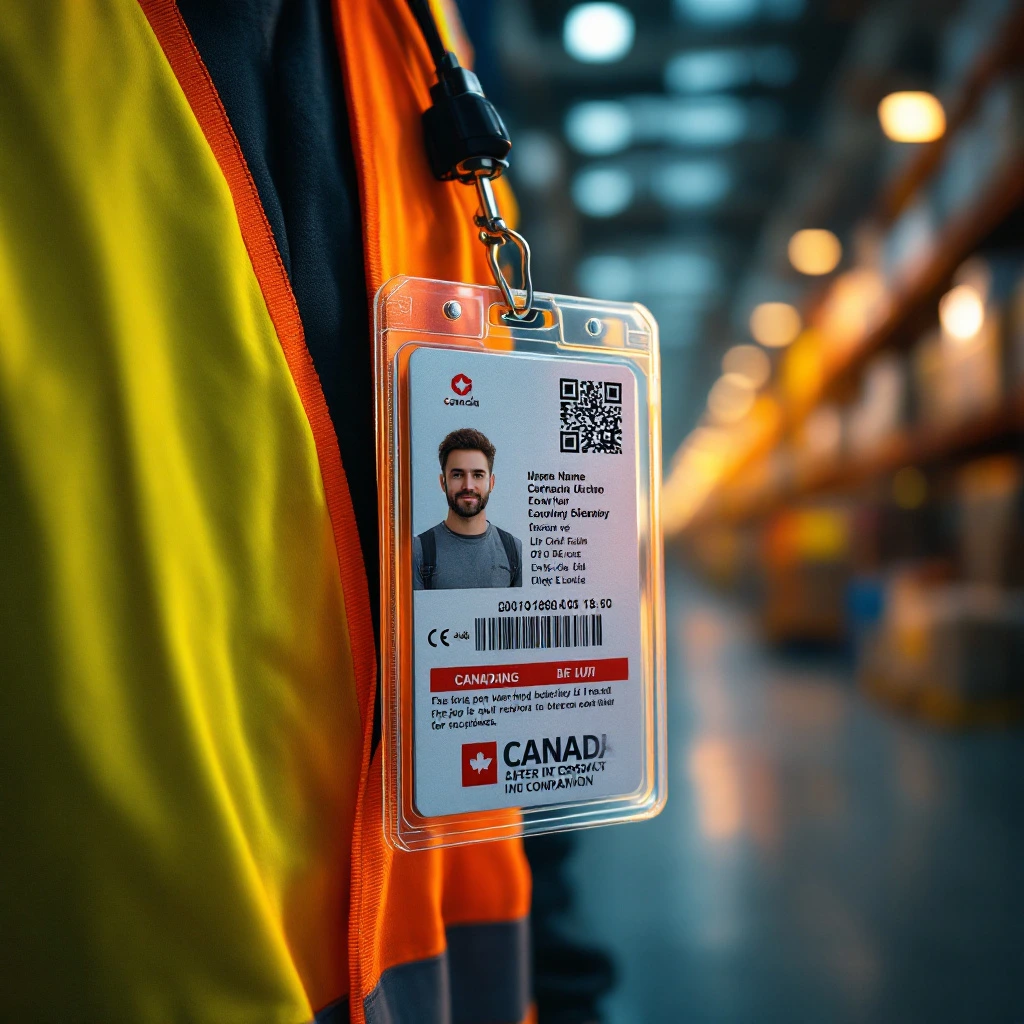
A seasonal warehouse badge should usually include:
- Worker name
- Photo
- Company or staffing agency
- Badge type, such as “Seasonal Temp”
- Shift or team assignment
- Expiry date
- QR code or barcode
- Optional colour coding by department, zone, or shift
The goal is instant recognition. A supervisor should not need a magnifying glass, three systems, and a lucky guess to know why someone is on site.
Step 2: Decide What the Badge Needs to Do
Not every seasonal warehouse badge needs the same technology.
Use this simple decision matrix:
Need | Recommended Badge Feature | Why It Helps |
Fast visual identification | Photo + name + badge type | Helps supervisors confirm who is on site |
Time tracking | Barcode | Works well with scanner-based systems |
Training confirmation | QR code | Links to orientation or certification status |
Equipment authorization | QR code | Can verify forklift or task-specific clearance |
Zone control | Colour coding | Makes approved areas easier to identify |
Expiry control | Printed expiry date | Reduces risk of old badges remaining active |
Temporary workforce reporting | Barcode or QR code | Supports scan-based logs and records |
For most warehouses, the practical setup is a hybrid temporary worker badge with:
- Photo ID
- Barcode for internal tracking
- QR code for digital verification
- Expiry date
- Colour-coded shift or department marker
This gives warehouse teams speed and flexibility without requiring a full smart chip access control project.
Step 3: Use Barcodes for Fast Warehouse Workflows
Warehouses already use barcodes for inventory, shipping, receiving, product movement, and equipment processes. That makes barcode ID badges a natural fit.
A barcode badge can support:
- Time clock scans
- Employee lookup
- Pick/pack assignment systems
- Equipment checkout
- Shift attendance
- Internal reporting
- Agency worker tracking
Barcodes are useful when the badge only needs to carry a short ID number that connects to a database. They are fast, familiar, and cost-effective.
For seasonal workers, barcodes are especially helpful when supervisors need consistent scan records across many temporary employees.
Step 4: Use QR Codes for Verification and Safety Records
QR codes are useful when the badge needs to connect to more information than a simple ID number.
For seasonal warehouse workers, a QR code can link to:
- Orientation completion status
- Safety training confirmation
- Forklift or equipment certification status
- Site-specific clearance
- Emergency contact workflow
- Staffing agency record
- Supervisor contact
- Assignment details
- Digital incident or reporting form
The QR code should not expose sensitive personal information directly. A better approach is to encode a secure URL or unique worker ID that connects to protected information.
For Canadian organizations, this matters under privacy legislation. The Office of the Privacy Commissioner of Canada notes that organizations must obtain meaningful consent when collecting, using, or disclosing personal information under PIPEDA: Office of the Privacy Commissioner of Canada.
In plain terms: the QR code should verify the worker, not publish their life story on a badge.
Step 5: Build a Pre-Badging Checklist
The fastest way to badge 200 temp workers is to prepare the data before anyone lines up at the badge station.
Before printing, collect and verify:
- Legal or preferred display name
- Worker photo
- Staffing agency or employer
- Start date
- Expected end date
- Shift assignment
- Department or zone
- Supervisor name
- Safety orientation status
- Required training or certifications
- Badge number
- Barcode or QR code value
- Replacement badge process
A clean spreadsheet or data file can make the printing process much smoother. A messy one can turn badge day into a copy-and-paste endurance sport.
Step 6: Standardize the Badge Design
When you are badging 200 temporary workers, consistency matters.
Use a standard seasonal badge layout with:
- Large photo
- Clear name
- “Seasonal Temp” label
- Company or agency name
- Shift or department identifier
- Expiry date
- Scannable barcode or QR code
- High-contrast design
- Space around codes for reliable scanning
Avoid overcrowding the card. If every possible detail is printed on the badge, the most important information becomes harder to see.
A good badge should be readable at a glance and scannable on the first try. Anything else slows down the floor.
Step 7: Control Badge Issuance
For seasonal hiring, badge control matters as much as badge printing.
Create a simple issuance process:
Step | Action |
1 | Confirm worker identity |
2 | Verify assignment and start date |
3 | Confirm orientation or training status |
4 | Print or activate badge |
5 | Record badge number |
6 | Issue badge with lanyard or holder |
7 | Explain badge rules |
8 | Track lost, replaced, expired, and returned badges |
Every badge should be tied to a person, a date, and a status.
The rule is simple: if you cannot tell who has a badge, when it was issued, and whether it is still valid, you do not have a controlled badge process. You have accessories with confidence.
Step 8: Make Expiry Dates Obvious
Temporary badges should look temporary.
Use visible expiry controls such as:
- Printed end date
- Seasonal colour band
- Weekly or monthly badge colour
- Large “TEMP” label
- Assignment period
- QR code status check
This helps supervisors, reception teams, and security staff identify outdated credentials quickly.
For seasonal peaks, expiry dates are especially important because workers may leave before the season ends, switch agencies, change shifts, or complete only part of the assignment.
Step 9: Plan for Lost and Replacement Badges
With 200 temporary workers, some badges will be lost, damaged, forgotten, or accidentally put through a washing machine with heroic confidence.
Create a replacement process before issuing the first badge.
Track:
- Original badge number
- Replacement badge number
- Date replaced
- Reason for replacement
- Whether the old badge was recovered
- Who approved the replacement
If QR codes or barcodes link to records, deactivate or flag the old credential when you issue a replacement.
Step 10: Close the Loop at the End of the Season
Seasonal badging doesn’t end when the rush does.
At the end of the assignment period:
- Collect returned badges
- Mark unreturned badges as expired
- Deactivate related records or scan permissions
- Review incidents or badge exceptions
- Identify process gaps
- Archive badge data according to privacy and retention policies
- Prepare improvements for the next hiring cycle
This is also a good time to complete a facility security audit or review the badge process.
A seasonal hiring cycle can reveal where your credentialing system is strong, where it is slow, and where too much depends on one person remembering how the spreadsheet works.
Recommended Badge Setup for Warehousing
For most warehouses onboarding seasonal temp workers, a hybrid badge is the best setup.
Recommended seasonal warehouse badge:
- Photo ID for visual confirmation
- Large worker name
- “Seasonal Temp” designation
- Staffing agency or employer name
- Shift or department colour coding
- Barcode for time tracking or internal scanning
- QR code for training, certification, or approval verification
- Printed expiry date
- Durable badge holder or attachment
This setup supports warehouse speed while maintaining control over who is on site, what they are approved to do, and when their badge should expire.
Final Recommendation
Badging 200 seasonal warehouse workers does not have to become a control problem.
The key is to treat temporary badges as part of onboarding and the security process, not an afterthought.
Use barcode badges when you need fast scan-based tracking. Use QR code badges when you need digital verification for training, safety, agency records, or site approval. Use clear visual design so supervisors can identify seasonal workers quickly.
ABC Identity Solutions creates custom ID badges and ID badge printing solutions for Canadian warehouses that need professional, scannable credentials for employees, contractors, and seasonal teams.
If your seasonal hiring plan includes 200 workers and one overworked spreadsheet, now is the time to tighten the process.
To discuss temporary worker ID badges for your warehouse, contact abc identity SOLUTIONS using one of the methods below:
- Book a no‑pressure chat, and we’ll talk about your current badges: www.abcidentity.ca/booking-site
- Prefer email, no calendar fuss? info@www.abcidentity.ca
- Just want to ask a quick question, or talk human-to-human? 204‑813‑0054
IN THIS PIECE
GET THE NEXT ONE BY EMAIL
No spam, no cadence anxiety. Just practical badge intel when we publish it.
Badges That Scan, Last & Prove Who's Who.



WHY US?
- Canadian Shipping
- Nationwide Delivery
- One Business Day Reply