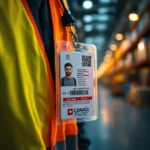
Sound familiar? Most Canadian warehouses have world‑class inventory management software, solid racking, and well‑trained teams, but they’re still running employee identification off a mix of clipboards, sign-in sheets, sticky notes, and hope. The missing piece is often right-sized, genuinely useful ID badges that talk to the systems you already run.
We teach you a better way: warehouse ID badge QR code integrations in Canada.
Here’s the good news: you don’t need to replace your WMS, your access control panels, or your time‑clock app. You need a single scannable badge that carries a unique identifier your existing software can already recognize. When that badge is professionally printed, it scans every time, even after a year of forklift dust and freezer‑aisle condensation.
The Real Pain Points (No, You’re Not Imagining Them)
Let’s name the everyday headaches that quietly eat up labour hours:
- Clock‑In Congestion: Manual sign‑in sheets, busted fobs, or time‑clock PINs shared like candy mean nobody really knows when the shift started. Auditing it later is a mess.
- Picking Errors from Mis‑Identification: When a pick order is tied to a generic “Picker 7” in the WMS, and the wrong person gets the credit (or blame), accuracy goes out the window.
- Temp and Seasonal Chaos: Every peak season, you get 30 new faces. If you are printing temp badges in‑house on an inkjet, they tend to fade, smudge, and turn into an abstract work of art by day three.
- Access Control Gaps: You trust your staff, but when any generic badge can be loaned to a buddy, your secure cage or yard suddenly isn’t so secure.
- Safety and Compliance Liability: If an incident happens and you can’t prove who was on the floor and where, the paperwork gets really ugly fast.
A single, properly designed ID badge with a barcode or QR code can address every one of those points, and you can set it up with your existing software.
How an ID Badge Becomes a Warehouse Efficiency Tool
The badge itself doesn’t store any sensitive data. It holds a unique employee identifier — an employee number, a payroll code, a contractor ID — encoded as a barcode or QR code. Every piece of software in your facility can be configured to read that identifier and act on it.
Here’s what that looks like in practice:
| System You Already Use | What the Badge Does |
|---|
| Warehouse Management System (WMS) | Scan the badge at a pick station to log who’s responsible for each order. The WMS associates the employee ID with the pick, giving you real‑time operator tracking and error tracing. |
| Time and Attendance | Employees scan their badge at a tablet or dedicated clock‑in screen. The time‑clock software logs the identifier and timestamps, tying directly into payroll. No more PIN‑swapping. |
| Access Control | Scan the badge at a reader mounted at the stock cage, loading dock, or server room. The access panel checks the ID against allowed zones and opens the door — or stays shut. |
| Forklift/Fleet Management | Link the badge to operator certifications stored in your safety system. A scan ensures only certified employees can fire up a piece of equipment. |
| Visitor and Contractor Logs | Pre‑register vendors, give them a badge valid for specific hours and zones. Their badge expires automatically, and your audit log tracks exactly where they went. |
In every case, the badge is just a bridge. The intelligence stays in the software. The badge itself holds nothing more than a string of numbers that looks like gibberish to anyone who doesn’t have your systems.
From a privacy and compliance angle, this is a win. Under PIPEDA, employers must protect personal employee information. A badge that contains zero personal data is inherently safer than one loaded with details. The Canadian Centre for Cyber Security, in its guidance on QR codes, also stresses that codes should be used as pointers to secure systems — not storage devices.
Real Canadian Numbers That Back Up the Need
- Growing Revenue, Growing Pressure: The warehousing and storage sector in Canada is expected to generate $28 billion by 2027 due to trends towards e-commerce and increasing supply chain demands. More orders mean every efficiency gap becomes magnified.
- Labour Force Crunch: Employment in transportation and warehousing continues to grow, but tight labour markets mean you can’t just throw bodies at the problem — you need every worker’s time to go further.
- Safety Matters: Manual materials handling remains a leading cause of lost‑time injuries in warehouses, and clear identification helps separate foot traffic, enforce zone‑specific PPE, and verify training credentials before equipment start‑up.
In short, Canadian warehouses are busier than ever, and an ID badge that eliminates manual steps gives you back minutes per employee per day. Over a month, that’s a lot of freed‑up labour.
Step‑by‑Step: How to Build an Integrated Badge System with Common Software
This is the part where you roll up your sleeves. You don’t need an IT department the size of a small country. Most of this can be set up using tools you likely already pay for or free alternatives.
1. Pick Your Identifier
Choose a field that already exists in your databases. Employee number, payroll ID, or a contractor code from your vendor management system is perfect. The key is consistency — this same number must live in your WMS, your time‑clock app, and your access control panel. If it doesn’t, a quick batch update in Excel can add it.
2. Generate the Barcode or QR Code
You can create scannable codes using:
- Free Online Generators (like qr-code-generator.com or The QR Code Generator): ideal for testing. Paste the employee ID, download a PNG, done.
- Excel with a Barcode Font: Download a free Code 39 font (widely used in warehousing), apply it to the employee ID column, and you’ve got a sheet of ready‑to‑print barcodes.
- Google Sheets and a Formula: Use
=IMAGE("https://chart.googleapis.com/chart?chs=150x150&cht=qr&chl="&A2) to generate QR codes instantly from employee IDs in column A. Zero cost. - ZebraDesigner or BarTender (if you’re already using label printers): great for high‑precision codes, but not required for the initial setup.
Pick a symbology that your scanners can read. Warehouses usually default to Code 128 for barcodes or QR Code for 2D. QR codes handle a little more data and scan faster from lanyard angles because they don’t rely on a straight‑on laser line.
3. Link the Identifier to Your Existing Systems
This step is less about the badge and more about mapping. In each software:
- WMS (e.g., Fishbowl, SAP, Oracle, Odoo): Most WMS allow you to define an “Operator ID” or “Picker ID” that can be entered via a barcode scan at a workstation. Set that field to the employee number you’re using on the badge.
- Time and Attendance (e.g., Deputy, ADP, QuickBooks Time): Many modern clock‑in apps have a “Scan Badge” or “QR Code” check‑in option. Upload the employee’s badge ID to their profile, and from that point on, a scan equals a punch.
- Access Control (e.g., Lenel, Genetec, Avigilon, open‑source options): Provide your system integrator with the list of badge IDs and the zones each employee can access. The controller can be set to accept a scan from a barcode reader instead of a prox card.
If your WMS or clock‑in app doesn’t natively support scanning, you can often bridge the gap with a simple USB scanner that acts as a keyboard input — the scanned number gets typed into whatever field is active. That’s as low‑tech as integration gets, and it works everywhere.
4. Design the Badge for Real‑World Scanning
A badge that scans well on a lanyard is not an accident. At abc identity SOLUTIONS, we swear by a vertical layout that places the QR code or barcode in the bottom third — right where it hangs at chest height and naturally catches the scanner beam. Nobody wants to have to twist their neck to get their badge read while carrying a box.
Your design should include:
- Employee photo (nice to have, but not strictly required for scanning)
- First name or preferred name (so humans can read it too)
- Large, clear barcode or QR code in the lanyard zone
- Any required safety icons (PPE, licence type)
- Company logo for a professional look
5. Print to Survive the Warehouse Environment
Here’s where we come in and where you save yourself a world of hassle. A badge printed on a retail inkjet will start looking sad and unreadable after a few weeks of humidity, cold storage, and abrasive dust. A badge printed using retransfer technology is sealed, waterproof, and crisp enough that the tightest barcode still scans.
When you order from abc identity SOLUTIONS, you send us the employee information, safety features and the design choices, and we ship you finished, wearable badges. No printer purchase, supply headache, or troubleshooting on a Friday afternoon. You focus on moving product; we send the badges.
FAQ
Ready to Pull Your Warehouse Together with One Badge?
Your WMS is smart. Your time clock knows what it’s doing. Your access control panels are wired tight. The only missing link is a badge that ties them all together, and we print those ID badges so you never have to think about supplies, printer maintenance, or design guesswork.
Let’s chat, and we’ll show you how easy it is to get scan‑ready, vertical ID badges delivered directly to your dock.
Stop fighting the clock‑in line. Start scanning.